Welcome email examples: Proven series, best practices, and personalization
Published on January 28, 2026/Last edited on March 11, 2026/22 min read
Team Braze
Contents
NOTE: This piece has been updated to reflect recent updates to the Braze platform. You can now bypass manual setups and maximize productivity by using BrazeAI Operatorᵀᴹ.
First impressions count. Especially so when it comes to welcome emails, as that initial contact with a customer sets the tone for your relationship with them.
Email still delivers a strong return on investment (ROI). For every $1 spent, 35% of companies receive $10-$36 in return, 30% receive $36-50 in return and 5% receive more than $50 in return. An effective email strategy treats the welcomes series as essential onboarding and customer retention, where customers quickly see the value in staying engaged.
This guide brings together welcome email examples you can swipe, and all the necessary steps to lay the foundations for long-term engagement.
TL;DR
- Welcome email examples work best when each message has one clear job: educate, activate, convert, or collect preferences.
- High-performing welcome series use first-party and zero-party data to personalize timing, content, and offers.
- In 2026, effective welcome emails are automated, measurable, and coordinated across channels to drive activation and retention.
What is a welcome email series?
A welcome email series is an automated sequence sent after signup to introduce the brand, build trust, collect preferences, and guide the subscriber to a first meaningful action. 2-4 emails is a good starting point but it depends on your audience and the goals you want to achieve.
A welcome email series should:
- Establish trust and set expectations
- Introduce products or value quickly
- Gather preferences (zero-party data and first-party data)
- Drive an early conversion or activation action
Six core components of high-performing welcome email examples
Welcome emails set the tone for your relationship with customers. They’ve traditionally required manual steps to build, integrate with relevant customer data, and personalize to every user’s satisfaction. Those steps are critical, but are the reason many brands may fall back on batch-and-blast strategies. With BrazeAI™ Operator, you can skip the hard work and simply explain in natural language what you’d like the email to express, what data you want to incorporate, and the parameters around personalization tactics. Operator will do the technical work of building, QAing, and launching your new campaign.
Once someone has subscribed to hear more from you, you can look at it like you’re throwing a party and they’ve accepted the invite. Now they’re in the room with you, the last thing you want to do is say a brief hello or wave at them from across the room and leave them standing alone by the door. The following 6 components help start a conversation with your customer and introduce them to the value you can bring, while also driving then next engaging step.
1. A subject line and preview text that earns the open
A good subject line sets the tone and usually comprises of the following tactics:
- Front-load the value. Put the benefit in the first 3–5 words so it still reads clearly on mobile.
- Match the moment. Subject lines resonate more when they reflect what the subscriber just did, or in this case, how they subscribed, like through a newsletter, browsing the website, or installing the app.
- Personalize with context, not a first name. A name rarely moves open rates on its own. A message based on signup source, category interest, or stated preferences has a better shot.
- Keep it short and clear. Aim for a quick read at a glance, with the main idea up front.
- Make it feel specific. Use concrete language that signals what’s inside, like a category, outcome, perk, or next step.
- Use action language that matches the CTA. If the email’s job is to set preferences, say that. If it’s to get to activation, point to the next step.
- Build curiosity with a clear hook. Teaser-style subject lines work best when they hint at value rather than feeling vague.
- Reduce friction early. If shipping, returns, pricing, or cancelation terms are common blockers, address one directly in the subject line or preview text.
- Use emojis sparingly. They’re common in inboxes, so they don’t automatically stand out and they can cause issues for screen readers. Add one only when it strengthens the meaning, and keep the message readable without it.
- Write preview text like part of the message. Preview text is extra space for clarity. Use it to add context, sharpen the benefit, or tee up the CTA.
- Keep the message consistent. Your subject line, preview text, and opening line should match, so people get exactly what they expected when they open the email.
2. On-brand copy that answers “What’s in it for me?”
Welcome copy needs to show value for the customer quickly. Tell them what they can expect, what they can do next and what they’ll get if they stick around. That could mean you offer them something in return for subscribing, such as a free product or a discount code, but you also want to build trust, by pointing the customer towards social proof.
3. Design and assets that fit the goal
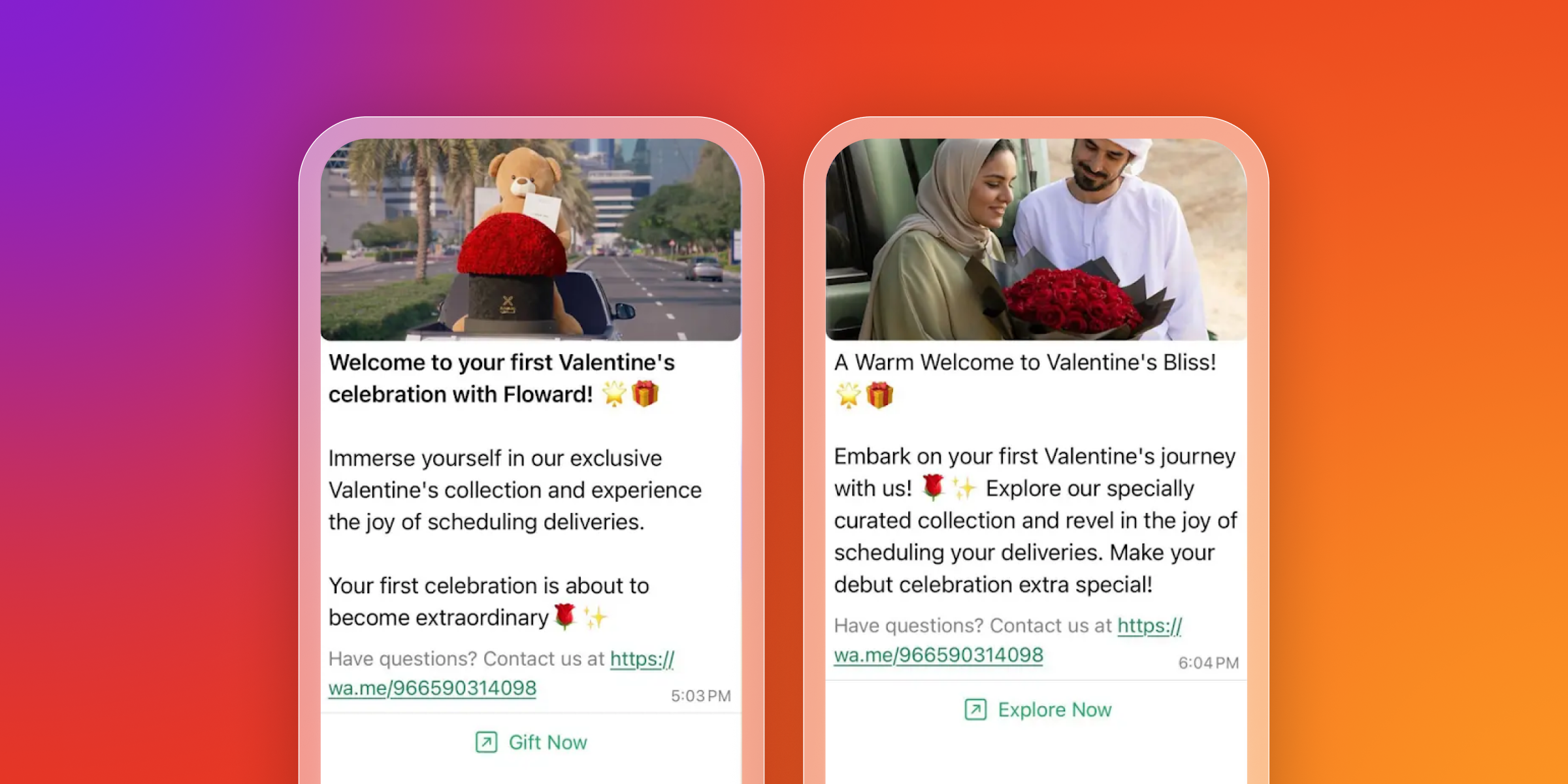
Not every email has to look the same. Product-led brands often need fast scanning, visually appealing designs, (aesthetically pleasing, beautiful product shots, best sellers in all their glory). Story-led brands on the other hand, often need more focus (one image, one idea). Match layout to intent for the best results.
4. One clear CTA per email
Each email should have one job, or you risk giving your customers decision paralysis. You can support the call to action (CTA) with secondary links, but the primary action should be unmistakable and unmissable. It doesn’t always have to be “Buy Now” either. There are lots of ways to encourage a customer to take an action. Don’t be afraid to get creative. For example, you could prompt people to:
- Choose my topics
- Build my profile
- See what’s trending
- Read the quick guide
- Verify my email
- Track my order
- Follow along
5. Strong value proposition
A welcome email is not a brand manifesto. It’s not the time to republish the about section of your website and give your customer everything there is to know about your business. It is a space to give a clear statement about what makes the experience of your brand worth subscribing to—in their language, not yours.
6. Offer strategy
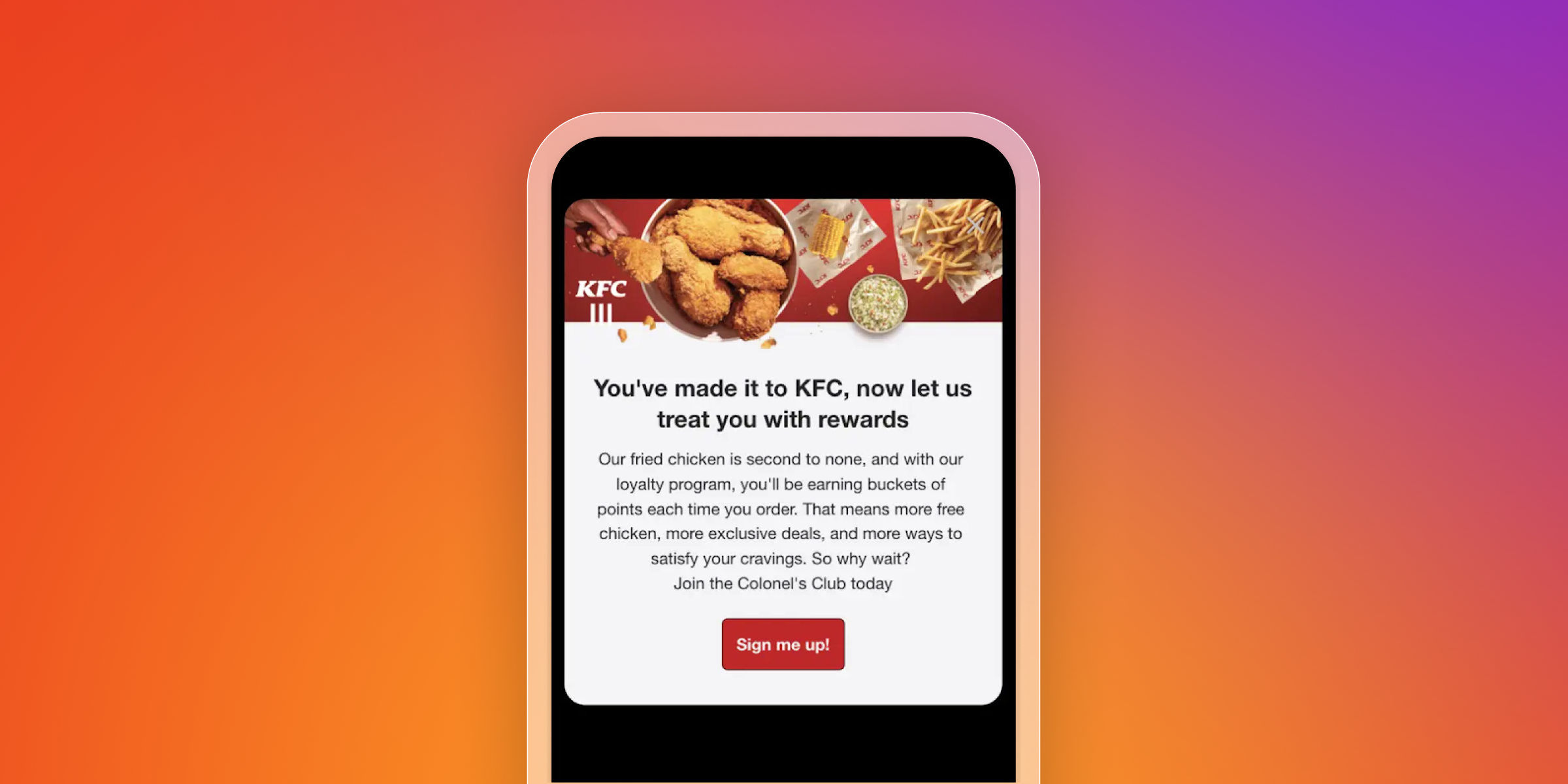
Discounts can work, but they are only one tool. Gifts, early access, shipping perks, content upgrades, loyalty points, and time-bound value-adds can convert without training people to wait for promos. With AI decisioning, you can also build a better understanding of what type of offers each individual prefers and in what context. Don’t just think about a convenient discount. Think about how to delight and inspire your customers.
The four types of welcome emails
Welcome programs can be built in a few ways, but most welcome emails fall into four types. Choosing the right one(s) comes down to what you want a new subscriber to do next—learn, buy, browse, or share a preference.
Most welcome flows mix these types, but each one should have a clear job, so the experience stays focused and easy to measure, and so that the relationship with your customer grows steadily.
The educational welcome email
An educational welcome email helps new subscribers take a first step with clarity. It’s a strong fit when your product needs a little setup, your value takes a moment to click, or customers benefit from guidance.
Things to include:
- One clear starting point (setup step, first action, or “start here” resource)
- A short how-to or checklist that removes friction
- A proof point that builds trust (results, ratings, customer quote)
- A single next step that moves them forward
What to measure:
- Activation actions (setup complete, first use, first browse)
- Click-through rate to key pages
- Early retention signals (return visits or repeat engagement)
The offer welcome email
An offer welcome email is built to drive a first conversion with a clear incentive and a reason to act soon. It’s useful when signup intent is high, or when your audience expects a deal for joining.
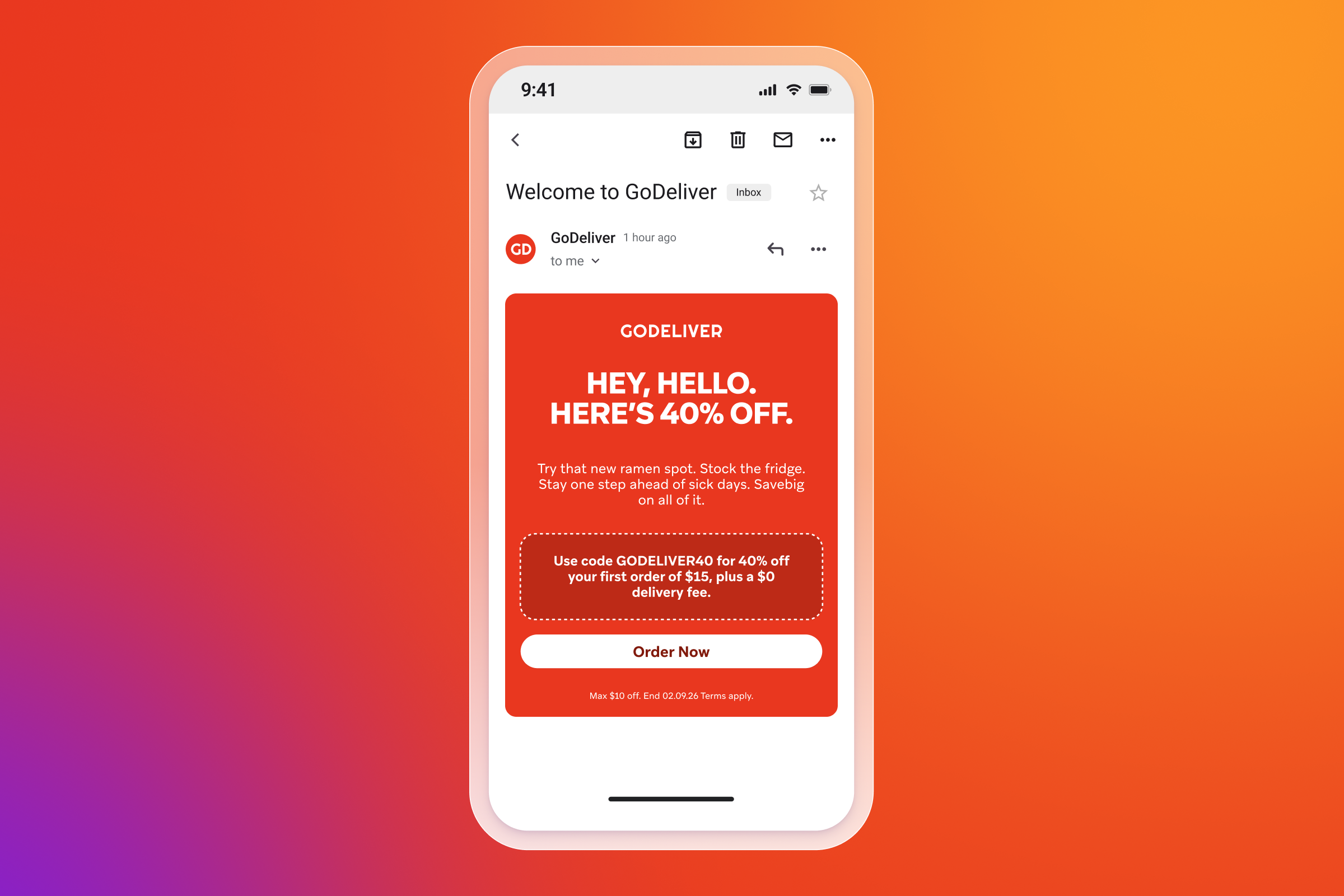
Things to include:
- The offer, key terms, and redemption steps in plain language
- A clear deadline or limit
- One element that reduces hesitation (shipping, returns, guarantees, FAQs)
- A fallback CTA for non-buyers (bestsellers or top categories)
What to measure:
- First purchase conversion rate
- Revenue per new subscriber
- Time to first purchase
- Opt-outs and spam complaints, if frequency ramps up
The product-focused welcome email
A product-focused welcome email helps subscribers quickly understand what to look at first, and why those options are popular. It’s useful when your catalog is broad, or when customers need help choosing.
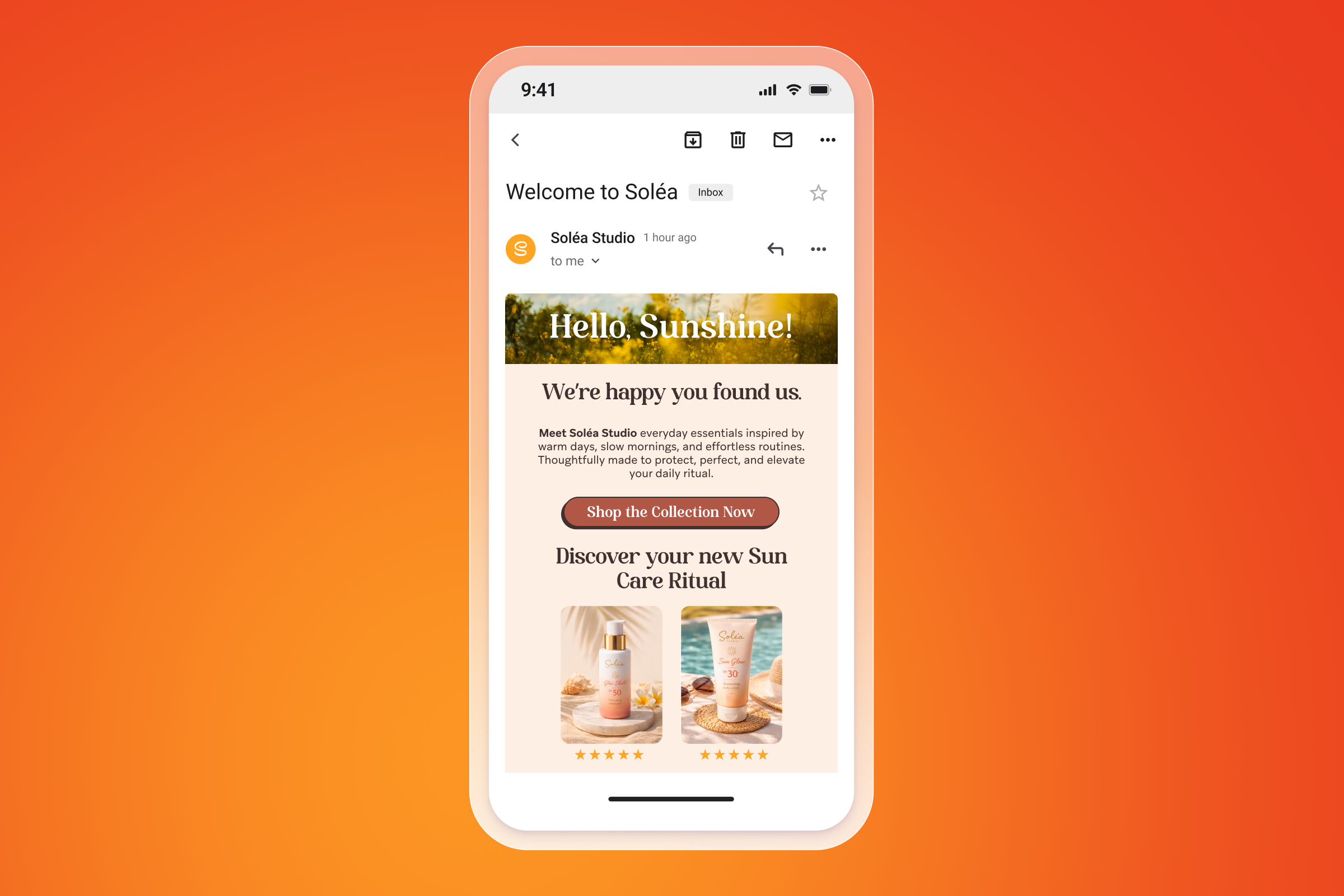
Things to include:
- A tight shortlist (top categories, bestsellers, or key use cases)
- A quick “why people pick this” line for each
- Social proof that’s easy to scan (ratings or review snippets)
- A clear browse path (collections, filters, or “shop by” links)
What to measure:
- Clicks to product pages and collections
- Browse depth and repeat visits
- Add-to-cart and conversion rate
The information-gathering welcome email
An information-gathering welcome email collects preferences early, so future messaging can be more relevant. It’s useful when personalization depends on interests, goals, sizing, language, or frequency.
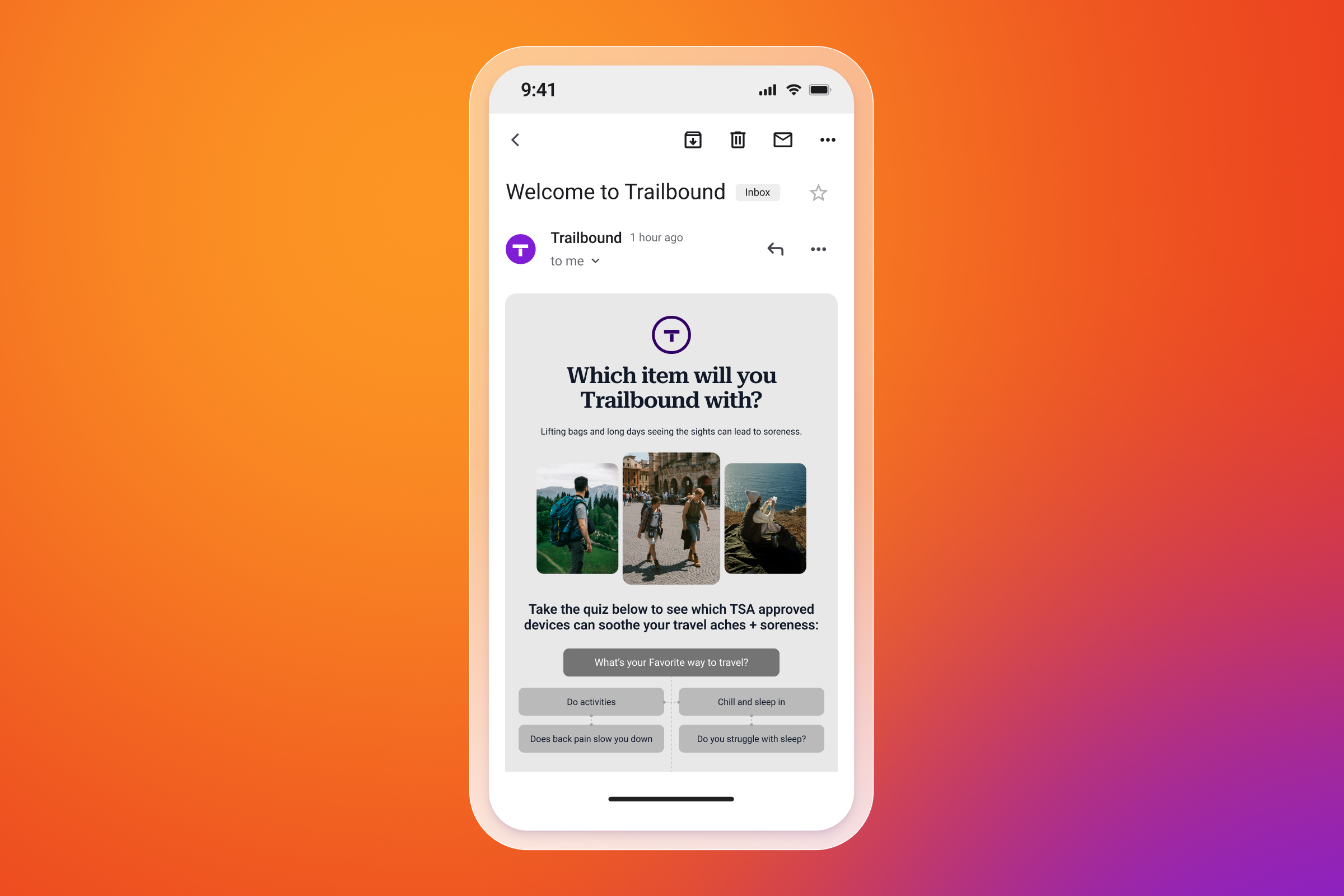
Things to include:
- One or two high-value questions (interests, goals, sizes, budget range, language)
- A clear reason you’re asking, and what changes once they answer
- An easy way to update choices later (profile or preference center link)
- A follow-up that reflects what they chose (recommendations or next steps)
What to measure:
- Preference completion rate
- Downstream engagement (clicks, sessions, purchases)
- Opt-outs and unsubscribe rate, especially if the ask feels intrusive
Welcome email series examples
Now you’ve seen real welcome email examples by goal, here’s what it can look like when those emails work together in a sequence. Below are three welcome flows for different industries that show how you can adapt the approach to build a strong welcome campaign.
eCommerce welcome flow
A simple commerce sequence introduces the brand, helps new subscribers browse with confidence, then gives a clear reason to buy.
Email 1: Welcome and set expectations
- Goal: confirm signup, set tone, and give a clear next step
- Message: what the brand stands for, what subscribers will get, and how often
- Personalization: category of interest, location, or acquisition source
- CTA: “Shop new arrivals” or “Browse bestsellers”
Email 2: Bestsellers and social proof
- Goal: reduce decision friction
- Message: top products with ratings, reviews, or short customer quotes
- Personalization: bestseller set by category or gender-neutral preference tags
- CTA: “See the collection” or “Shop top-rated”
Email 3: Offer and urgency
- Goal: drive first purchase
- Message: incentive plus a clear deadline, with a reminder of shipping, returns, or guarantee
- Personalization: offer type based on behavior (browsed, added to cart, no activity)
- CTA: “Redeem offer” or “Complete your order”
App or SaaS welcome flow
This sequence focuses on activation first, then uses feature discovery to move users toward a value milestone.
Email 1: Welcome and quick start
- Goal: get the user to the first meaningful action
- Message: what success looks like in one sentence, plus a “start here” step
- Personalization: role, use case, or plan type
- CTA: “Finish setup” or “Get started”
Email 2: Activate
- Goal: remove the biggest setup blocker
- Message: a short checklist, one how-to, or a two-minute setup path
- Personalization: based on what they haven’t done yet (no project created, no integration connected)
- CTA: “Complete step 1” or “Connect your account”
Email 3: Feature discovery
- Goal: help users self-select the next feature that fits their goals
- Message: 2–3 features framed as outcomes, with a simple “choose your next step”
- Personalization: based on early behavior (features viewed, pages visited, usage depth)
- CTA: “Try this feature” or “Explore workflows”
Email 4: Value milestone (optional)
- Goal: reinforce progress and push the habit loop
- Message: what they’ve achieved so far, what’s next, and a proof point
- Personalization: milestone-based (first workflow built, first report viewed)
- CTA: “Build your next one” or “Invite your team”
Content or newsletter welcome flow
A content welcome flow helps readers find what’s worth reading first, then learns what they want more of.
Email 1: Welcome and what to expect
- Goal: set expectations and earn the next open
- Message: what the newsletter covers, cadence, and what readers can do with it
- Personalization: signup source or stated interest
CTA: “Read the latest” or “Start here”
Email 2: Top resources
- Goal: show the depth of value quickly
- Message: the “best of” list (top articles, guides, templates), grouped by topic
- Personalization: reorder links based on interest tags, if available
- CTA: “Pick a topic” or “Get the guide”
Email 3: Preference capture (optional)
- Goal: personalize future sends without adding friction
- Message: one or two preference questions (topics, frequency, format) with a clear benefit
- Personalization: keep it lightweight, and link to a preference center
- CTA: “Set preferences”
Seven welcome email pest Practices for 2026
To create welcome emails that are truly impactful, you’ll need to follow some best practices to avoid instant disconnect with your customers.
1. Deliver the promised value in the first message
If the signup offered a perk, a guide, early access, or a price drop, put it front and center. You lose trust quickly when subscribers have to hunt.
Try this: Put the promised value at the top of the email and repeat it in the CTA so it’s obvious what to click.
2. Give the first email one job
Keep it simple—a short welcome, a quick expectation set, and one clear CTA. Save extra links for later emails in the series.
Try this: Write down the single action you want in email one, then remove anything that distracts from it.
3. Personalize using intent signals, not placeholders
Go beyond first name. Tailor by signup source, category clicks, browse behavior, device, app install, or what they asked for at signup, so individuals get different first-email experiences based on how they joined.
Try this: Personalize with Braze using Segmentation, Liquid Personalization, Dynamic Content or BrazeAI. These tools help match the message to the individual.
4. Collect preferences early, then use them immediately
Use a quiz, preference center, or a simple “choose what you like” prompt to capture zero-party data. Pair it with click and browse data to shape what you send next.
Try this: Ask one easy question in email two (like a category choice), then use that answer to change the products or content in email three.
5. Use dynamic content to keep the series relevant
Swap product modules, educational blocks, or use-case content based on behavior. That keeps recommendations useful as interests change.
Try this: Add one section that updates based on what they click or browse, like “Popular in the category you viewed.”
6. Protect deliverability and attention during onboarding
Pause overlapping promos while the welcome series runs. Coordinate email with SMS, push, and in-app so people don’t get multiple messages at once.
Try this: Set a short “onboarding window” where the welcome series has priority, and suppress non-urgent marketing sends during that time.
7. Treat welcome like a living program
Test timing, offer structure, and CTA language. Track outcomes like activation, conversion, unsubscribes, and retention, not just opens.
Try this: Run one test at a time across the full series each month, then keep the winner and move to the next idea. Or for a more advanced testing, using Braze AI Decisioning Studio, which experiments constantly in the background and adapts on a 1:1 basis as behavior changes.
How to automate welcome emails
When you automate welcome emails, you remove some of the manual tasks involved in personalized emailing at scale. Through an email automation platform like Braze, you can work with features like real-time triggers, dynamic personalization, intelligent automation, and next-best everything capabilities. You set up the workflows and then the platform scales your efforts to give your customers the most authentic 1:1 experience they can have.
Trigger strategy
A trigger strategy works by sending a scheduled email ONLY when certain criteria are met. This means they’re highly relevant, responsive in the moment, and they send messages at the right time for each individual recipient. Because of this, they have increased open and engagement rates.
Common welcome triggers include:
- Signup (email capture, account creation, lead form)
- First app open (for app-first brands)
- First browse or first product view (high intent, even before signup in some systems)
- First purchase (post-purchase welcome differs from pre-purchase onboarding)
Let’s say you use the welcome email as the trigger. This can be implemented using a Canvas in Braze, where the welcome email is sent ONLY AFTER the user confirms their email subscription.
In the "Email sign-up with double opt-in" template, the user must confirm their email address and opt in to messaging before this message can be sent. As this means it’s only sent to verified subscriber, it improves engagement and compliance.
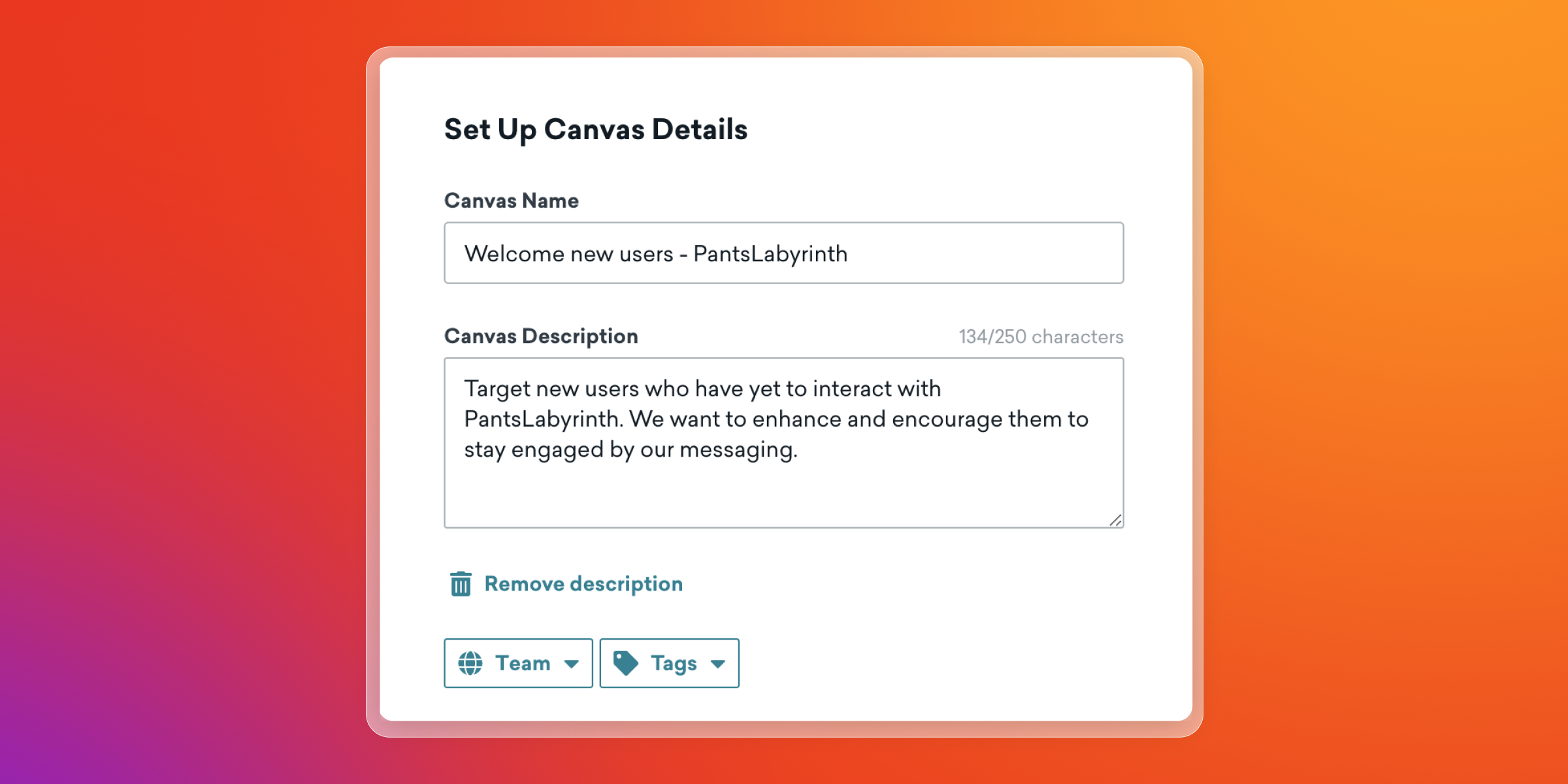
Follow these steps in Braze:
- Set up a Canvas using the Email sign-up with double opt-in template.
- Define conversion events to track the email opt-in confirmation.
- Customize the Canvas to include a welcome email message step that sends an exclusive promotion or greeting after the user confirms their subscription.
- Launch the Canvas to automate the welcome email sending based on user actions.
Segmentation strategy
McKinsey research found that 71% of U.S. consumers expect personalized interactions, and 76% feel frustrated when that doesn’t happen. Consumers want to be recognized as an individual and they respond best to experiences that reflect their interests, like relevant recommendations, tailored messages and offers, and timely follow-ups after key moments.
Segmentation helps you group customers based on shared traits, like location, lifecycle stage, app activity, product interests, or past purchases, so each audience gets messages that fit their needs.
Segments for welcome emails include:
- New vs. returning subscribers
- High-intent (browsed, added to cart, started setup) vs. low-intent
- Category or content interest based on clicks and browsing
- Acquisition source (paid social, referral, in-store, partner, organic)
In Braze, you can create dynamic groups of users based on specific criteria, like behaviors, custom events, and attributes. This allows you to tailor and target messages to the right users for more engagement and impact.
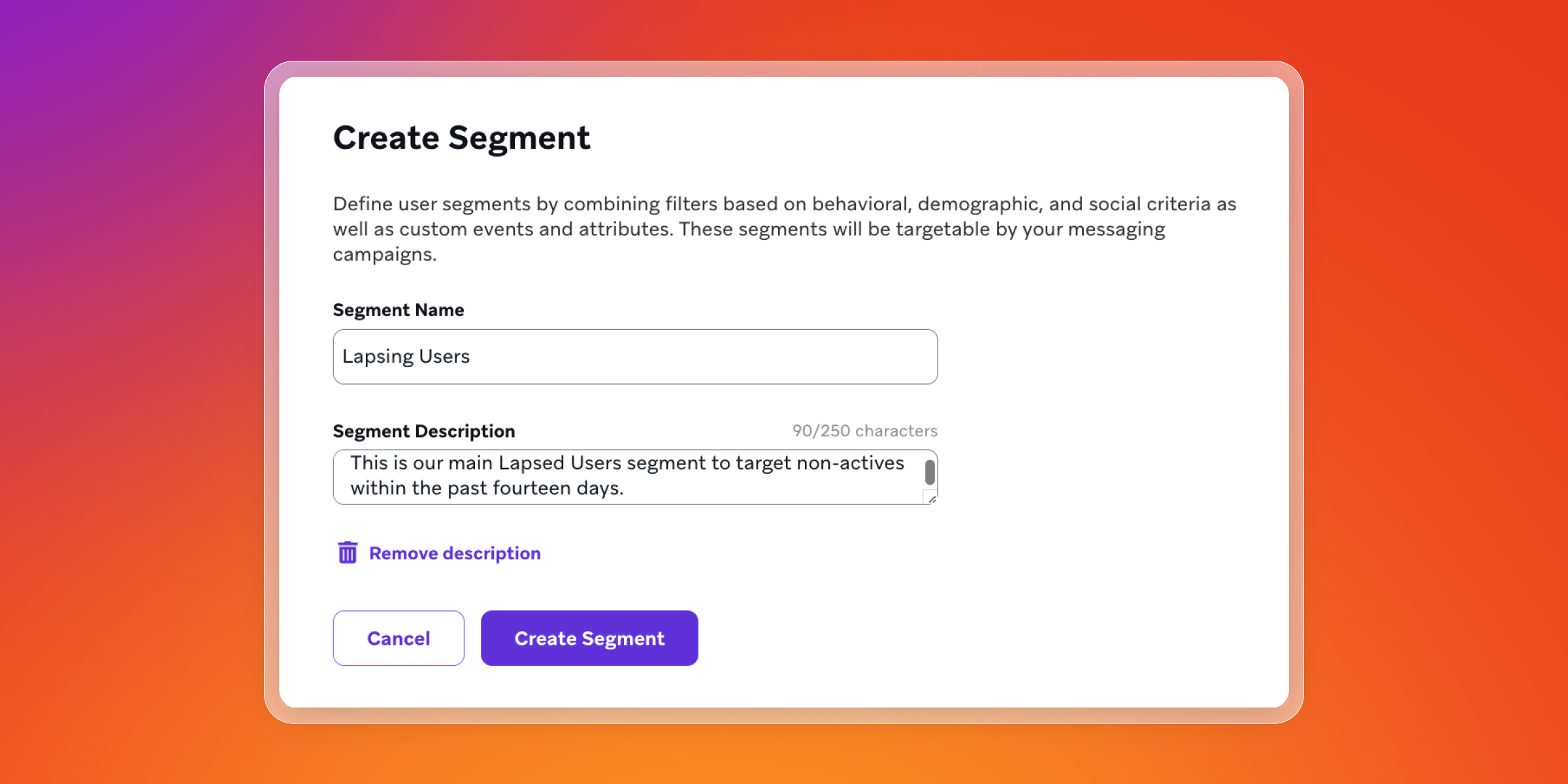
How to create a segment in Braze:
- Navigate to Audience > Segments in the Braze dashboard.
- Select "Create Segment" and name your segment clearly.
- Choose the app or platform to target users from specific apps or all apps.
- Add filters to define your segment. Filters can be combined using AND/OR logic within and between filter groups.
- Optionally, add exclusion groups to remove users based on criteria.
- Save your segment to use it in campaigns or Canvases.
Suppression strategy
Alongside any welcome email series is a set of other emails also being sent at the same time, but not appropriate for those who have just joined you. Suppression is how you deal with this, temporarily stopping certain emails from sending to a person, so that you can keep the onboarding experience focused and avoid overlapping messages.
Suppression is usually used to pause promotional campaigns for new subscribers for a set period of time, so they only receive the onboarding emails you planned first.
The type of emails you might want to suppress during onboarding include:
- Promotional blasts during the first onboarding window
- Cross-channel duplicates (email plus SMS plus push) unless coordinated by a single orchestration plan
- Messages triggered by calendar events that do not match “new subscriber” context
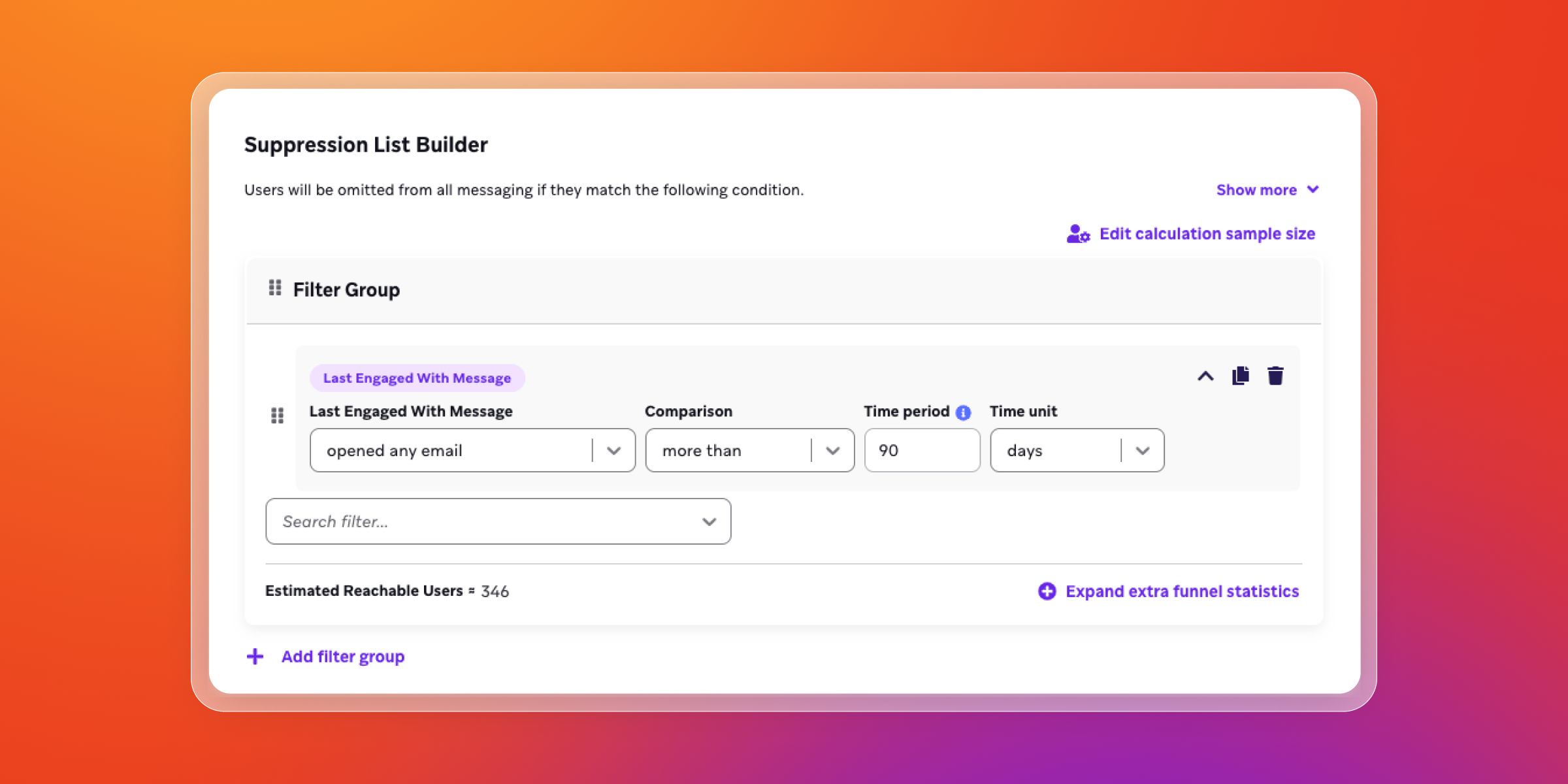
Suppression lists can be created in any campaign or Canvas in Braze.
Follow these steps to create and activate a suppression list:
- Navigate to Audience > Suppression Lists in the Braze dashboard.
- Select Create Suppression List and provide a name for your list.
- Use segment filters to identify the users to include in your suppression list.
- Decide if you want to set exception tags.
- Save the suppression list.
- Activate the suppression list to immediately exclude users in the list from campaigns or Canvases (except those with exception tags).
- You can have up to five active suppression lists at a time. Deactivate or archive lists when no longer needed.
Multi-channel option
A welcome email series can work even better when it’s coordinated with other channels, creating an omni-channel approach for a more cohesive experience—especially when people move between inbox, app, and site.
- Email sets expectations, introduces value, shares products or resources, and asks for preferences.
- In-app messages can show up when someone opens the app after clicking the welcome email, pointing them to the next step, like finishing setup, choosing interests, or starting a key feature.
- Push or SMS can be used sparingly for time-sensitive reminders tied to the series, like an expiring welcome perk or a saved cart, based on consent and channel preference.
Braze supports multichannel campaigns and Canvases with flexible targeting and reporting. You can segment audiences with filters, then build channel-specific messages (email, push, in-app, etc.) within the same campaign or journey.
Delivery can be limited to people who are opted in per channel, which helps align with subscription preferences. Reporting and data exports vary by channel, covering metrics like sends, opens, clicks, bounces, unsubscribes, and impressions where relevant. If you include promotion codes, Braze can apply the same code across channels for each user and deduct codes to prevent reuse.
How to A/B test welcome emails (and what to test)
A/B testing is a 50/50 split between a control and a variant. You change one thing, pick a success metric, then run both versions at the same time so you get a clean read on which performs better.
Start with a simple hypothesis and one primary KPI, like click rate, conversion rate, or revenue per recipient. Then split your audience evenly, run the test until you reach a meaningful sample size, and roll out the winner. Avoid “peeking” mid-run or changing other variables while the test is live, since that can skew results.
A/B testing is a good fit for welcome email series because it helps you validate bigger changes with confidence in a journey where consistency matters.
Here are some of the highest-impact elements to test:
- Subject line and preview text
Test clarity vs. curiosity, benefit-led vs. offer-led, and how well the preview text supports the subject line. Subject lines drive opens, while preview text can lift opens and improve click intent by setting expectations. - Offer type (percent vs. dollars vs. gift)
Test which incentive feels most motivating for your audience and price points. Percent-off can feel bigger on higher AOV items, dollars-off can feel more concrete, and a gift or value-add can drive action without discounting the whole order. - Sequence length and timing
Test how many emails you need, and how quickly they should arrive. Some audiences respond to a tight series over 2–3 days. Others need more time between messages, especially if the first conversion takes longer. - CTA placement and message focus
Test one clear CTA vs. multiple links, above-the-fold vs. lower in the email, and different “jobs” for the email (browse categories vs. take a quiz vs. redeem an offer). Keep the focus consistent so the result is easy to interpret. - Personalization depth (generic vs. dynamic content)
Test a standard version against a version that changes based on behavior, like category clicks, browsing, or preferences. Dynamic content can improve relevance, but it also adds complexity, so experimentation helps you see if the lift is worth it. - Channel combination (email-only vs. coordinated)
Test whether adding an in-app message, push, or SMS reminder improves outcomes for people who don’t act after email one. This works best when the extra channel is tied to a clear trigger and respects consent and preference.
How to measure welcome email performance
To make the most of email, you need to track and measure metrics, and then feed that data back into your strategy.
Here’s what to measure and why:
- Click rate: A quick read on whether content and CTAs are driving action. (Total clicks ÷ delivered emails.)
- Activation event completion (apps/SaaS): Whether new users complete a key onboarding action, like finishing setup, starting a trial, creating a first project, or hitting a usage milestone.
- Conversion rate / placed order rate: Whether recipients complete your defined success event after receiving the message.
- Revenue per recipient (RPR): Business impact per message, useful for comparing welcome approaches. (Qualified revenue ÷ unique recipients.)
- Unsubscribe and complaint rate: Early signals that you’re over-sending, arriving at the wrong moment, or misaligned with expectations.
- Downstream retention lift (30/60/90 day): Cohort new subscribers by join date and track a meaningful “retention event” (repeat purchase, return session, key feature use). If you run an A/B test, compare retention rates between the control and the variant.
Common welcome email mistakes
Welcome emails are one of the few moments where intent is naturally high. Mistakes tend to happen when teams try to cram too much into the series, aren’t clear on goals or or when they treat it like a set-and-forget automation.
Watch out for these common missteps:
- Overloading the first email: Too many messages and CTAs make the next step unclear. Keep it to one email, one job, one primary CTA.
- Making it about the brand: Subscribers are thinking, “What do I get?” Lead with value, set expectations, and write to their needs.
- Sending the same sequence to everyone: Use early signals (signup source, intent, first actions) to tailor onboarding from day one.
- Letting other campaigns collide with onboarding: Suppression rules prevent multiple sends in a day and protect engagement.
- Leaving it untouched after launch: Review performance, test small changes, and update sequencing as your audience and offers change. For more advanced optimization, BrazeAI Decisioning Studio™ can run continuous experiments to improve the next best step based on real behavior.
Key takeaways
Great welcome emails start by building trust quickly, then making the value clear, and finishing with one obvious next step. When subscribers know what to expect and what to do, engagement is easier to win.
Welcome email examples help teams move faster, but outcomes come from what sits behind the copy. Personalization along with lifecycle marketing, message logic, and timing are what make onboarding emails feel relevant across the whole welcome email series.
The strongest welcome series adapts based on subscriber behavior. When someone browses, purchases, installs, or stays inactive, the next message should reflect that context, so the journey keeps pace with intent.
Measurement and iteration are what separate a decent launch from a high-performing program. Track engagement metrics and business outcomes, then keep refining timing, content, and offers based on what the data shows.
Welcome email series FAQs
What is a welcome email series?
A welcome email series is an automated set of onboarding emails sent after someone signs up. They introduce the brand, capture preferences, and guide subscribers to a first meaningful action.
How many emails should be in a welcome series?
The number of emails that should be in a welcome series depends on your product, your sales cycle, and how quickly subscribers reach value. Many brands start with 2–4 emails, then add branches based on behavior so the sequence stays relevant.
When should a welcome email be sent?
A welcome email should be sent immediately after signup or account creation so expectations and value land while intent is high. Follow-up timing should reflect behavior signals such as browsing, first app open, cart activity, or stalled setup.
What are the best welcome email examples by industry or use case?
The best welcome email examples by industry match the first action that matters—ecommerce focuses on discovery and first purchase, apps and SaaS focus on activation, and newsletters focus on habit-building and preference capture. The strongest examples include clear CTAs, social proof, and personalization tied to first-party and zero-party data.
How do you personalize welcome emails with AI?
You personalize welcome emails with AI by using predictive signals and decisioning to select content, timing, and offers based on behavior and preferences. AI can help prioritize which message a subscriber should get next, while dynamic content fills the email with recommendations that match intent.
Related Tags
Be Absolutely Engaging.™
Sign up for regular updates from Braze.
Related Content
 Article5 min read
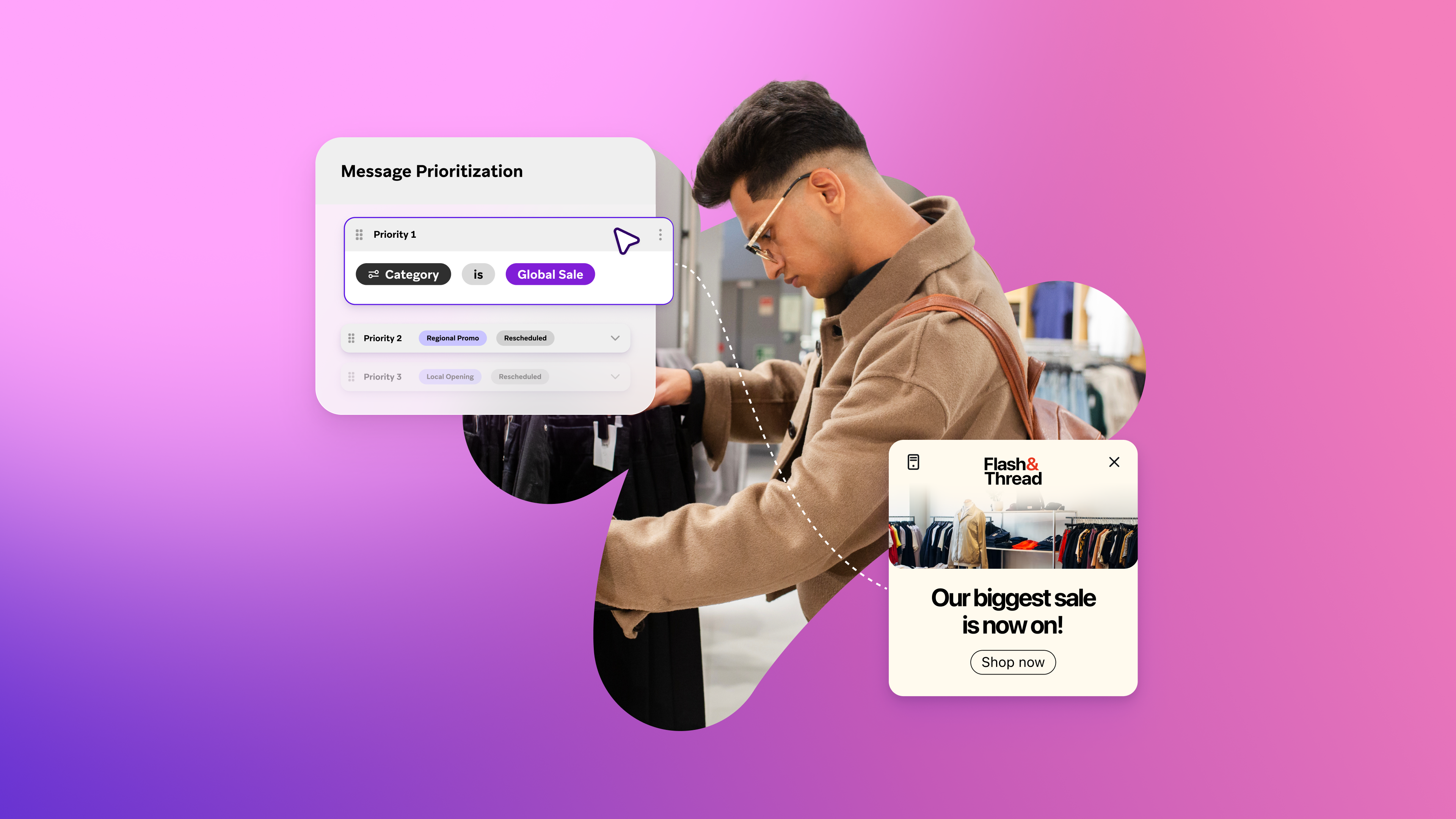
Message Prioritization: Make your most important messages win
October 20, 2026 Article37 min read
SMS marketing examples: Use cases for B2C brands, by industry
October 19, 2026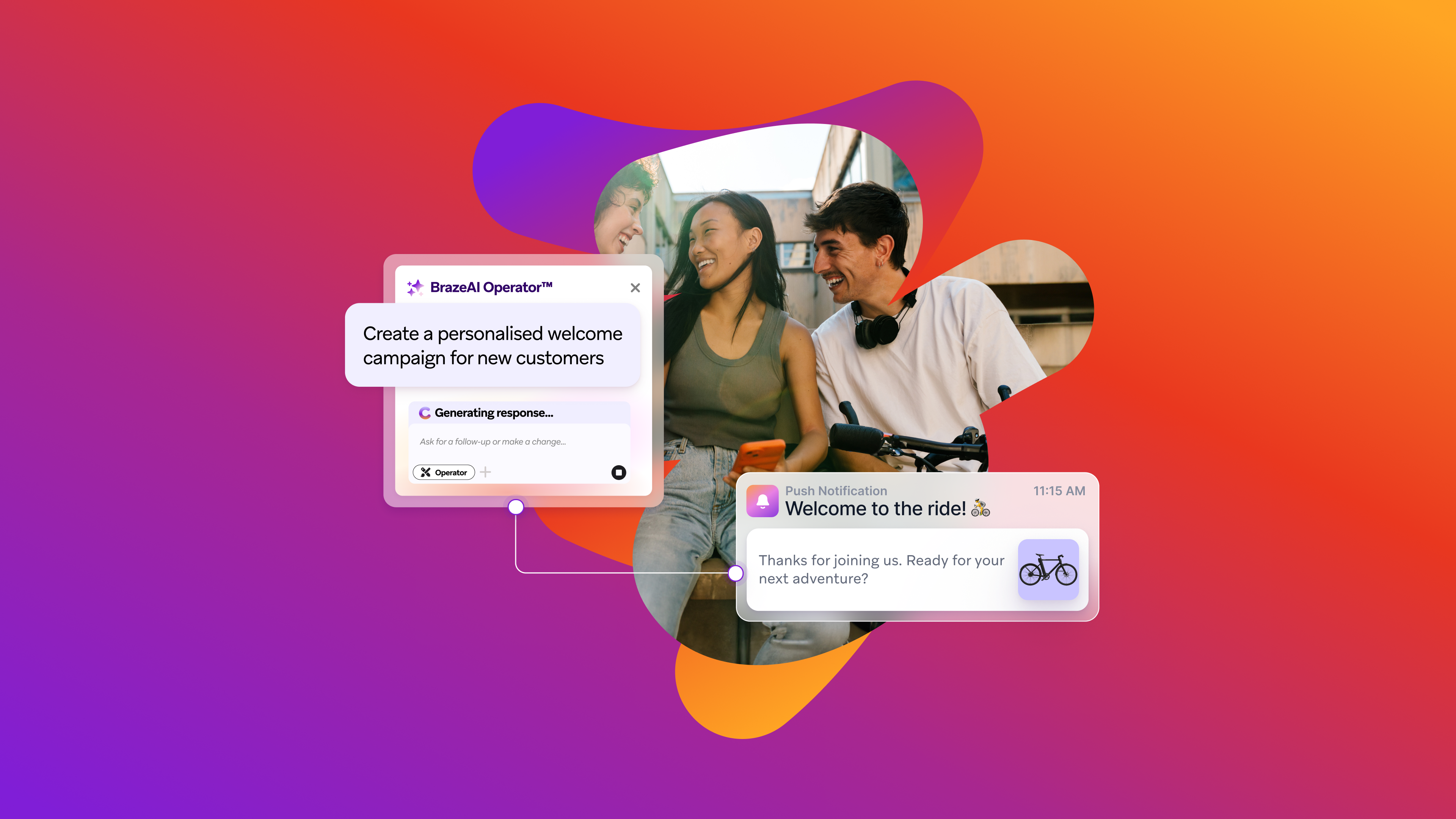 Article11 min read
BrazeAI Operator™ Use Cases: How Marketers Launch Campaigns, Build Segments, And QA In Minutes
October 19, 2026